

Geographical boundaries are no longer an issue to run and operate business regardless of their industry, of course we have our advancing technology and the brains behind them to thank for. What used to be a major concern for operating businesses globally, remote or even in hybrid environments were the lack of measures to ensure our assets were efficiently utilized and taken care of, but as we can see this is no longer a major issue, and for this we can be specifically grateful for IT Asset Management or ITAM.
We are all familiar with the concept of ITAM, this is the strategy that is responsible for tracking, monitoring and even optimizing the lifecycle of a company’s IT assets. Efficient ITAM and ITAM tools have proven to be invaluable to an organization especially for harmonizing their IT infrastructure.
It is this popularity that has led to organizations depending on major ITAM tools like Teqtivity to ensure no matter what their work environment is, IT assets are well taken care of.
To level up on our security and tracking measures the best approach is teaming up with MDM tools.
Mobile Device Management or MDM is a software solution used by organizations to monitor, manage, and secure employees’ devices, such as smartphones, tablets, and laptops.
MDM ensures data security, enforces policies, and allows for remote device control, helping organizations maintain compliance and protect sensitive information across their network.
ITAM and MDM integration is unarguably one of the best possible methods in improving IT asset lifecycle management.
From this blog, you will learn the benefits of using Teqtivity and MDM for better IT asset management.
The Role of ITAM and MDM in Modern IT Environments
What is Mobile Device Management?
Mobile Device Management or MDM is a software solution that enables organizations to monitor, manage, and secure mobile devices, including smartphones, tablets, and laptops. MDM is essential for handling both corporate-owned and employee-owned devices (BYOD), ensuring that all devices accessing company resources are managed and compliant.
Importance of MDM:
- Security: MDM enforces security policies, such as password protection, encryption, and remote wipe capabilities, helping protect corporate data if a device is lost or stolen.
- Compliance: Ensures that devices meet industry regulations (e.g., GDPR, HIPAA), reducing the risk of compliance-related penalties.
- Data Management: Separates corporate and personal data on BYOD devices, maintaining privacy while securing business information.
- Application Control: Allows IT to manage and restrict access to corporate applications, preventing unauthorized use of company resources.
- Efficient IT Management: Streamlines software updates, patches, and troubleshooting, reducing downtime and support costs.
What is the difference between ITAM and MDM?
IT Asset Management (ITAM) tools and Mobile Device Management (MDM) solutions both have their unique importance in managing IT resources, but they serve different purposes and manage distinct aspects of the IT environment. Here’s a breakdown of the differences between them:
Scope and Focus
- ITAM Tools: ITAM tools are designed to manage all IT assets, including hardware (e.g., computers, servers), software licenses, cloud resources, and peripherals. Their primary focus is on the lifecycle management of assets, from acquisition to disposal, and ensuring compliance, cost-efficiency, and asset utilization.
- MDM Solutions: MDM tools are specifically focused on managing and securing mobile devices, such as smartphones, tablets, and laptops, often across a wide range of locations. They provide capabilities like remote wiping, app management, and enforcing security policies.
Core Functions
- ITAM Tools: Track inventory, monitor software licenses, audit usage, manage warranties, and support financial planning by keeping asset records. ITAM tools provide insights into asset lifecycle stages, maintenance schedules, and cost optimization.
- MDM Solutions: Focus on securing devices by enforcing policies (e.g., password protection), deploying apps, controlling access to data, and enabling remote management for troubleshooting and updates. MDM helps ensure device compliance, data security, and user privacy, especially in BYOD environments.
Compliance and Security
- ITAM Tools: Primarily handle compliance related to software licenses and regulatory standards around asset ownership and disposal.
- MDM Solutions: Directly manage device-level security and compliance, including enforcing data encryption, access control, and app restrictions, critical in BYOD environments to protect sensitive information.
Asset Lifecycle Management vs. Real-Time Device Control
- ITAM Tools: Focus on the lifecycle management of assets, supporting procurement, maintenance, and disposal to optimize resource usage over time.
- MDM Solutions: Operate in real-time, allowing IT to control device settings, update policies, and respond to security incidents instantly.
Thus, ITAM tools offer a comprehensive view of all IT assets and optimize their lifecycle, while MDM solutions provide detailed control and security for mobile devices in real-time, ensuring data protection and compliance for devices that move between different networks and locations.
Why is an ITAM integration with MDM important?
Managing mobile devices without the integration between ITAM tools like Teqtivity and MDM systems can bring in numerous challenges, which can lead to inefficiencies, security risks, and compliance issues.
Here are the main challenges organizations face without ITAM and MDM integration:
Limited Visibility and Tracking
- Disconnected Systems: Without integration, IT teams lack a unified view of mobile devices within the ITAM system. This makes it difficult to track device locations, user assignments, and the lifecycle status of each device accurately.
- Inventory Gaps: When ITAM and MDM systems operate separately, IT teams may miss inventory updates, leading to inaccuracies in asset counts, under-utilization of resources, and unplanned costs from redundant purchases.
Inconsistent Security Policies
- Security Gaps: Non-integrated systems make it harder to enforce consistent security policies across mobile devices, leaving certain assets vulnerable to attacks.
- Delayed Response: Integration enables rapid responses to lost or compromised devices. Without it, IT teams may face delays in executing security measures like remote wiping or restricting access, increasing the risk of data breaches.
Compliance Challenges
- Regulatory Compliance Risks: Without a cohesive view, ensuring compliance with industry standards (e.g., GDPR, HIPAA) becomes challenging. Non-compliant devices can go unnoticed, leading to penalties and reputational damage.
- License Management Issues: With separate systems, it’s difficult to track software licenses and app usage accurately, increasing the risk of unauthorized or outdated software on mobile devices.
Inefficient Device Lifecycle Management
- Poor Asset Lifecycle Insights: Without integration, it’s challenging to track a device’s full lifecycle, from deployment to decommissioning. This lack of insight leads to inefficiencies in maintenance, replacement, and retirement planning.
- Reduced Optimization: Integration between ITAM and MDM allows for better asset performance and timely upgrades or replacements. Without it, organizations may experience higher repair costs, increased downtime, and reduced productivity.
Complexity in Supporting BYOD Environments
- Data Privacy Concerns: Managing corporate and personal data separately on BYOD devices is complex without integrated tools. This complicates data management, user privacy, and security enforcement.
- Access Control Issues: In BYOD setups, controlling access to corporate data and applications is challenging without a streamlined integration of ITAM and MDM, leading to potential unauthorized access and data leakage.
Higher Operational Costs
- Duplicate Workflows: Without integration, IT teams must duplicate efforts across both systems, manually updating data, creating reports, and managing assets in multiple locations. This reduces productivity and increases operational costs.
- Manual Errors: With separate systems, human errors are more likely, resulting in inaccurate records, missed renewals, and device mismanagement.
In short, integrating ITAM and MDM systems enables a unified, secure, and efficient approach to mobile device management, helping organizations maintain accurate asset records, ensure security, and support compliance. Without this integration, organizations face visibility gaps, inefficiencies, and increased security risks that affect overall productivity and asset utilization.
Teqtivity’s MDM Integrations

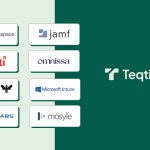
Google Workspace offers built-in Mobile Device Management (MDM) to secure and manage Android and iOS devices accessing corporate data. With features like app management, device encryption, remote wipe, and compliance monitoring, it enables organizations to enforce security policies, safeguard information, and manage user access efficiently from a centralized console.

Jamf is a comprehensive Mobile Device Management (MDM) solution tailored for Apple devices, including iPhone, iPad, and Mac. It enables organizations to deploy, configure, and secure Apple devices seamlessly, providing tools for app management, compliance enforcement, and remote support, all through an intuitive, Apple-focused management console.

Kandji is an MDM solution designed for managing Apple devices, offering advanced automation for deployment, compliance, and security. It streamlines workflows with pre-built templates, zero-touch setup, and powerful remediation tools. Kandji enables IT teams to enforce policies, manage apps, and secure data across Mac, iPhone, and iPad devices.

Microsoft Intune is a cloud-based MDM solution within the Microsoft Endpoint Manager suite, enabling organizations to manage and secure devices and applications. It supports Windows, iOS, Android, and macOS, allowing IT to enforce policies, control app access, and safeguard data, promoting secure, compliant device use across diverse environments.

MobileIron is an enterprise-grade MDM solution focused on securing and managing mobile devices, apps, and data. Supporting iOS, Android, and Windows, it provides tools for device provisioning, app management, and data protection. MobileIron enhances compliance and security for BYOD and corporate-owned devices in complex environments.

Workspace ONE is a unified endpoint management (UEM) platform by Omnissa, formerly known as VMware Workspace ONE, that integrates MDM capabilities for managing mobile devices, desktops, and applications. It enables organizations to streamline device provisioning, enhance security, and enforce compliance across diverse operating systems. Workspace ONE delivers a seamless user experience while ensuring data protection and corporate policy adherence.

42Gears is a versatile MDM solution that focuses on securing and managing mobile devices across various operating systems, including Android, iOS, and Windows. It offers features like device tracking, app management, and remote support. 42Gears enhances productivity and compliance while protecting sensitive data in enterprise environments.

Mosyle is a leading MDM platform designed specifically for Apple devices in education and enterprise environments. It offers features such as device deployment, app management, security enforcement, and compliance tracking. With Mosyle, organizations can efficiently manage, secure, and optimize their Apple ecosystem through an intuitive, centralized dashboard.
Key Integration Features:
- Discrepancy Reports: Teqtivity’s reporting allows you to view discrepancies between your MDM and Teqtivity, whether they are not created and managed in Teqtivity, assigned to the wrong person, or not returned.
- Automation for Asset Creation: Teqtivity can also be automated to create and assign devices on the go when enrolled within your MDM system
- Lock or Erase Devices: If in any unfortunate circumstance your device is lost/stolen or not returned, the integration allows you to lock or erase the device in your MDM and secure all data.
- Real-time Reports: The integrations make it easier for you to review and import important attributes such as encryption status, FileVault keys, operating system and more to create robust reports.
Now that you got a picture on the importance and major benefits of having an easy integration with leading MDM tools, let us take a look on the specific and exclusive benefits of the Teqtivity and MDM integration;
Unified Asset View:
Integrating Teqtivity with an MDM solution creates a unified dashboard, offering a single view of all IT assets, including mobile devices. This integration allows IT teams to track device locations, usage, and status across the asset lifecycle in real-time. It simplifies asset management, enhances security oversight, and streamlines compliance, enabling efficient management of both fixed and mobile assets within one centralized platform.
Enhanced Security:
The Teqtivity and MDM integrations strengthen mobile device security by delivering real-time updates, enabling IT to monitor and address potential risks instantly. It enforces security policies, such as mandatory encryption and password protection, to safeguard data. Additionally, remote wipe capabilities allow IT teams to quickly erase sensitive information from lost or stolen devices, minimizing data breach risks and maintaining compliance with organizational security standards.
Compliance and Audit Readiness:
The Teqtivity and MDM integrations ensure compliance and audit readiness by continuously monitoring devices for adherence to company policies and data protection regulations. This integrated system enforces necessary security settings, such as encryption and access controls, across all devices. During audits, it simplifies reporting with centralized, up-to-date compliance records, minimizing manual checks and ensuring a smoother, more reliable audit process.
In conclusion, integrating Teqtivity with MDM offers a powerful approach to mobile device management by consolidating asset visibility, bolstering security, and ensuring compliance. Real-time monitoring, policy enforcement, and remote wipe capabilities protect sensitive data and prevent breaches. This unified system also streamlines audits by maintaining comprehensive compliance records, ensuring that all devices adhere to company policies and data protection regulations, thereby enhancing both operational efficiency and security across the IT infrastructure.