
IT Asset Management
Teqtivity makes IT asset management simple to run and reliable to use. Track every device, stay organized, and act with confidence.
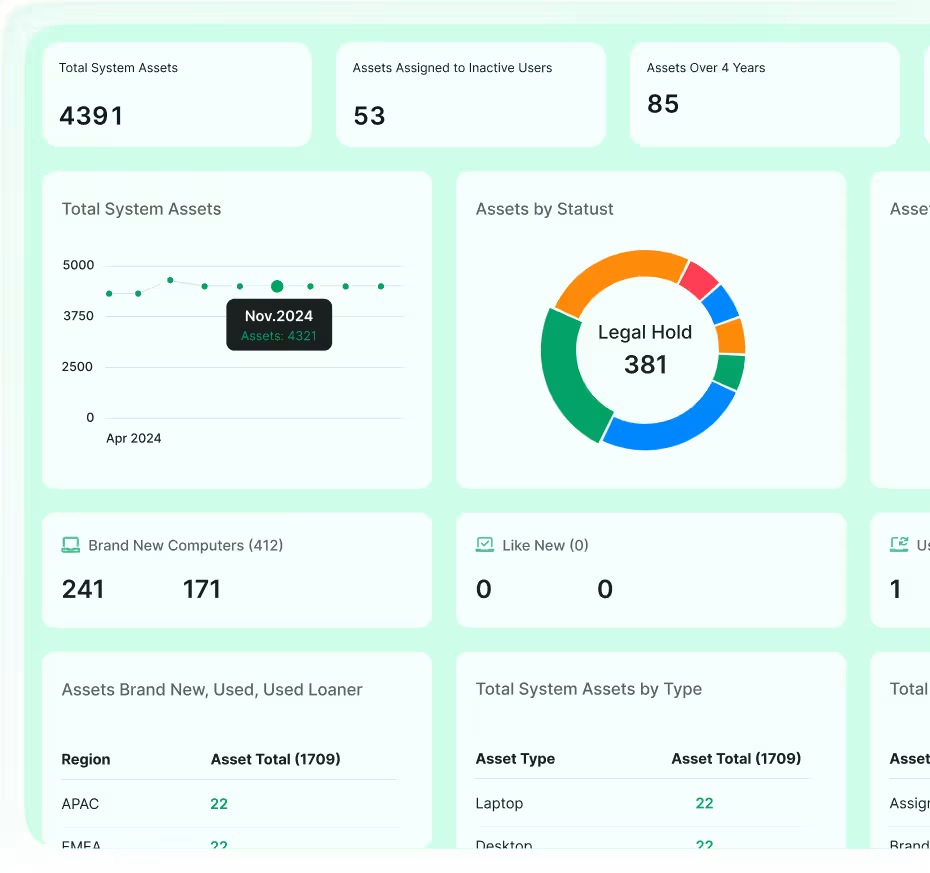
Know where your tech is, what it's doing, and who’s using it, all in one place.
Teqtivity makes IT asset management simple by helping your team stay organized from the moment a device is purchased to the day it’s retired. That includes when it’s assigned to someone, returned, replaced, lost, or repaired. No more messy spreadsheets. No more guessing. Just full visibility and control over your IT equipment.

Built to Keep You One Step Ahead
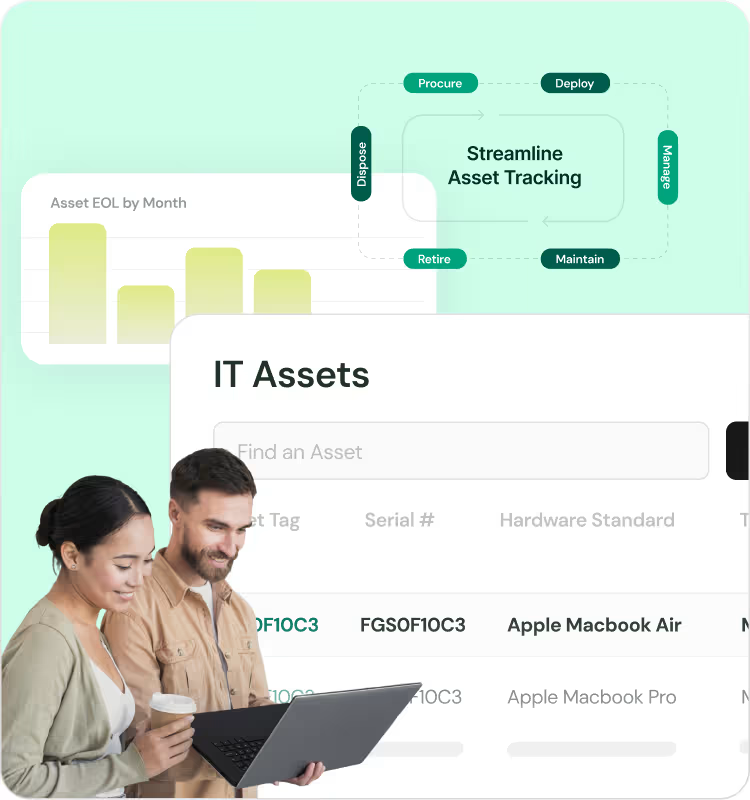

Inventory Management
Know exactly what you own and where it is.Track laptops, phones, and accessories with ease using our asset tracking software. You’ll always know who has what and in what condition.
→ View Inventory Features
Dashboards & Reports
See what matters, when it matters.Filter and export your asset data to see what’s active, missing, or needs attention.
→ View Reporting Tools
Lifecycle Management
Stay in control from procurement to end-of-life.Track each item from purchase to retirement, through setup, assignment, maintenance, and final disposal.
→ View Lifecycle Tracking
Onboarding & Offboarding
Assign gear fast and recover it on time.Assign assets before someone starts and generate return checklists when they leave the team. Stay prepared and avoid missing gear.
→ View Employee Workflows
Compliance & Security
Reduce risk and stay audit-ready.Lock unreturned devices automatically, track user activity, and create reports that meet your internal and external compliance needs.
→ View Compliance ControlsFull Visibility, Total Control
-

Keep Everything in Sight
Know exactly where your assets are, who’s using them, and what condition they’re in, whether it’s a laptop, phone, or keyboard.
-

Build Real-Time Reports
Create unlimited custom reports based on user, location, asset type, and more. See the data you need without manual spreadsheet work.
-

Integrates with Your Workflow
Teqtivity works with MDMs, HR systems, Slack, and more, letting your team keep using the tools they already know.
-

Scale with Ease
Whether your team is in one office or across countries, you can manage all your devices in one platform using our IT asset management software.
Why It Matters to Your Team

-

Manage Confidently
IT asset management isn’t just about tracking devices. It’s about knowing what’s where, who’s using it, and what needs your attention. Teqtivity gives you the visibility to stay ahead before small issues turn into bigger problems.
-

Cut Costs
You probably have more usable equipment than you think. Instead of buying new, we help you identify what’s sitting unused and put it back to work.
-

Save Time
Manual updates and follow-ups take up too much of your day. With automation, Teqtivity handles the busywork and frees your team to focus on the work that matters most.
Everything You Need, All Together
Bulk or Manual Entry
Enter assets manually or upload in bulk for faster receipt processing and asset setup. Connect directly with suppliers for advanced ship notices.
Barcode Scanning
Use barcode scanners to add or identify assets quickly. Speed up intake and minimize manual errors.
Asset Transfers & Returns
Ship assets between locations and request returns in just a few clicks. Track transfers with full visibility.
Full Lifecycle Monitoring
Follow every asset from procurement to disposal with a detailed history log. Maintain compliance and accountability at every stage.
Filtered Inventory Views
Search your inventory based on asset type, location, status, or user attribute.
Accessory & Consumables Tracking
Keep tabs on all accessory items like cables, chargers, keyboards, mice, toner cartridges, and more. Never run out of critical supplies.
Mobile Number Management
Link phone numbers to devices or manage them separately if needed. Generate reports by carrier or location.
Parent/Child Asset Linking
Pair multiple assets, like a mobile phone and phone number or a server with multiple hard drives, for simplified asset tracking.
Status Updates with Attachments
Add custom attachments and attributes to an asset when making status updates, like Certificates of Data Destruction, wipe confirmation numbers, return receipts, and more.
Authorize User Access
Allow users to view their own asset records and verify correct assignments for better accountability. Improve transparency and reduce disputes.
Enter Assets Easily
Add assets into the system individually and in bulk for faster receipt processing and asset setup. Or integrate with one of several suppliers for advanced ship notices.
Move Assets Across Your Organization
Initiate asset shipments and request asset returns in minutes.
Manage the Complete Asset Lifecycle
Track the history of each asset from its initial receipt to end of life and disposal.
View Inventory Easily
Search your inventory based on asset type, location, or other user attributes.
Track Consumables & Accessories
Keep tabs on all accessory items like cables, chargers, keyboards, mice, toners, and more.
Manage Mobile Numbers
Connect phone numbers to devices, or deploy them independently if you don't need to link them. Then, track the assets and generate reports based on the phone carrier and location.
Create Parent/Child Relationships
Pair multiple assets, like a mobile phone and phone number or a server with multiple hard drives, for simple asset tracking.
Record Asset Status Updates
Add custom attachments and attributes to an asset when making status updates, like Certificates of Data Destruction, Data Wipe Confirmation Numbers, Loaner Return Dates, and more.
Authorize User Access
Allow users to view their asset records and verify correct assignments for better accountability.
Add Unlimited Users
Import unlimited users with directory services, HR tools, internal employee record systems, or a simple CSV upload.
Create Unlimited Locations
Create unlimited locations for warehouses, storage rooms, offices, conference rooms, and more. And categorize each location by type, such as storage, installation, and virtual holding spaces.
Generate Unlimited Attributes
Create unlimited user attributes to achieve robust reporting and functionality.
Manage Assets Globally
Manage multiple locations using site codes, countries, and custom attributes.
Onboarding & Offboarding
Produce onboarding reports to manage inventory and assign assets ahead of time, and generate offboarding reports to ensure timely asset return.
Monitor Loaned Assets
Ensure loaned assets are returned on time and keep a pulse on lease renewal dates.
Get Purchase Notifications
Always have the right accessories on hand, by using the purchase indicator to alert you with plenty of lead time.
Slack Notifications
Integrate Teqtivity with Slack to update channels and threads with important notifications.
Set Asset Requirements
Standardize asset makes, models, and technical specs to increase productivity and automate processes across your organization.
Create Lifecycle Rules
Set lifecycle rules based on your internal language and best practices.
Meet Compliance Standards
Define workflows and reporting procedures to ensure internal compliance rules are met.
Automate Assignments
Automate creation and assignment of assets via integrations with various end point management solutions.
Isolate Inappropriate Asset Use
Review discrepancy reports to pinpoint issues related to asset use.
Maintain a Single Source of Truth
Empower your team with integrated reporting that paints a clear picture of all company assets.
Device Locking
Lock devices that are not in use or pending return from terminated users.
Custom Reports
We build custom reporting tools, so you can access custom reports on an ongoing basis.
Unique Asset Lifecycles
Decrease errors and ensure proper tracking with unlimited status options and rules.
Custom Notifications
Our team develops unlimited notifications to match your internal processes and preferences.
Make Your Own Rules
Our custom development allows you to create rules and processes that meet the needs of your growing business.
Integrate With Your Preferred Tools
Integrate with any 3rd party tool to increase visibility, enhance reporting, and add functionality.
Provide Role-Based Access
Create multiple layers of access to give your techs the permissions and functions they need while reducing vulnerabilities and mistakes.
Single Sign-On
Simplify authentication by giving users a single URL where they can sign in using SAML SSO.

Get Started in 3 Simple Steps
No complicated setup. Just a system that fits your team.



















